# Malware Traffic Analysis 4
## **Question 1: What is the victim IP address?**
The answer can be found out easily with tools like Brim, Wireshark or Network Miner.
## **Question 2: What is the victim’s hostname?**
See question 1.
## **Question 3: What is the exploit kit name?**
I used Brim with the provided Suricata rules. With some filtering regarding the alert signatures, I noticed the name of involved malware:
With this info, I searched via Google to find out the used exploit kit.
## **Question 4: What is the IP address that served the exploit?**
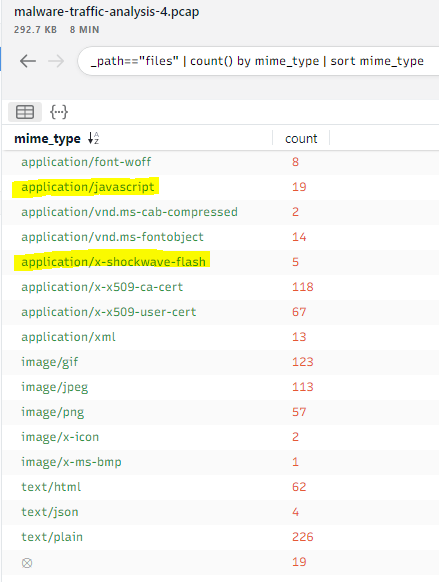
At first, I used Brim to find out, which Mime types occured during the whole packet capture:
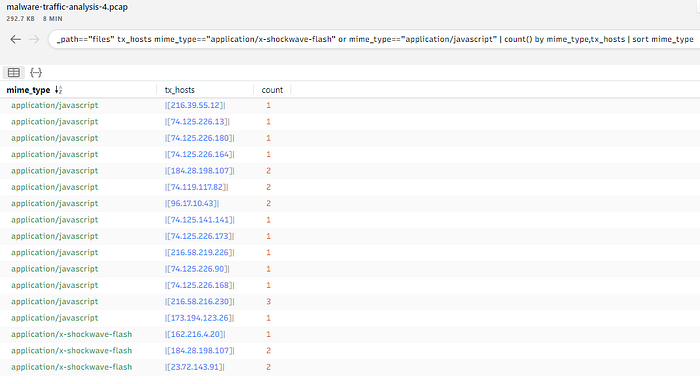
Interessting for me were the yellow marked types *application/javascript* and *application/x-shockwave-flash*. Afterwards, I used a second filter to display all destination IP addresses, which were involved during a communication regarding the above mentioned mime types:
Unfortunately, that are too many IPs :-( Nevertheless I used Network Miner to see the transmitted files. I started with the connection, which had the most transmitted amount of bytes, until I found a suspicious .swf file, sent by the IP:
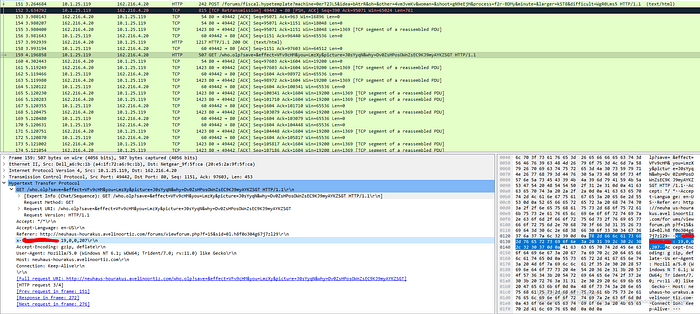
## **Question 5: What is the HTTP header that is used to indicate the flash version?**
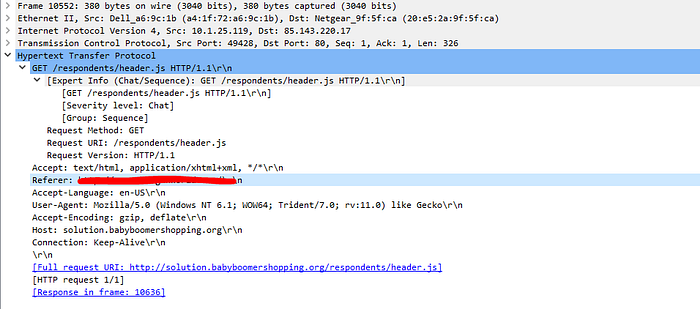
I used Wireshark to search for the specific HTTP GET request regarding the above mentioned suspicious file. The HTTP header contains the answer:
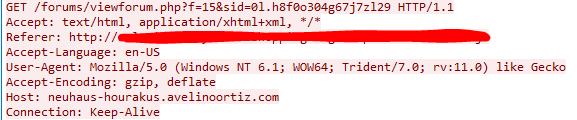
## **Question 6: What is the malicious URL that redirects to the server serving the exploit?**
Again, I used Wireshark with the function to follow the TCP stream. I started from the above mentioned GET request, followed the TCP stream and I could see the Referer:
## **Question 7: What is The CAPEC ID corresponding to the technique used to redirect the victim to the exploit server? More info at capec.mitre.org**
There are two possible ways to answer the question:
1. I clicked through the provided website (capec.mitre.org) and found some information about Action spoofing and Clickjacking.
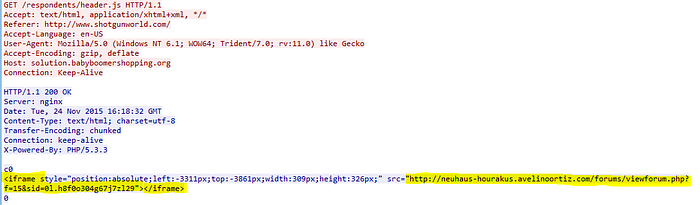
2. Within Wireshark I search for the above Referer and followed the TCP stream again. Here I can see an iFrame,w hich redirects the victim to the exploit page/server:
## **Question 8: What is the FQDN of the compromised website?**
With Wireshark I search for the the malicious URL from question 6. I inspected the HTTP GET packet and saw a 2nd Referer, which is the compromised website:
## **Question 9: The compromised website contains a malicious js that redirect the user to another website. What is the variable name passed to the “document.write” function?**
From the above question I know the URL of the compromised website. With Brim I found the IP address quickly. Then I used Network Miner which contains a folder called *AssembledFiles*, sorted by IP addresses (awesome!). In this folder, I found some *.js* files and opened them with a text editor:
**Question 10: What is the Compilation Timestamp of the malware found on the machine? Format: YYYY-MM-DD hh:mm:ss**
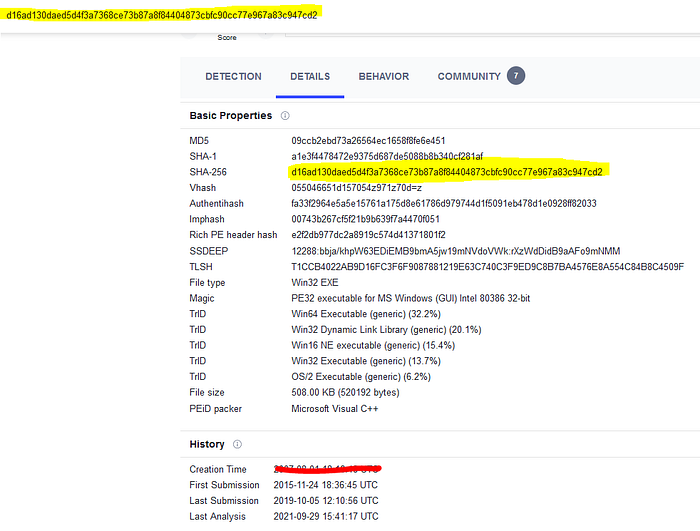
The challenge details contain a SHA-256 hash value. I searched on virustotal and found the creation time in the Details tab:
---
# Agent Instructions: Querying This Documentation
If you need additional information that is not directly available in this page, you can query the documentation dynamically by asking a question.
Perform an HTTP GET request on the current page URL with the `ask` query parameter:
```
GET https://txc.gitbook.io/documentation/writeups/cyberdefenders/malware-traffic-analysis-4.md?ask=
```
The question should be specific, self-contained, and written in natural language.
The response will contain a direct answer to the question and relevant excerpts and sources from the documentation.
Use this mechanism when the answer is not explicitly present in the current page, you need clarification or additional context, or you want to retrieve related documentation sections.